












The fastest system
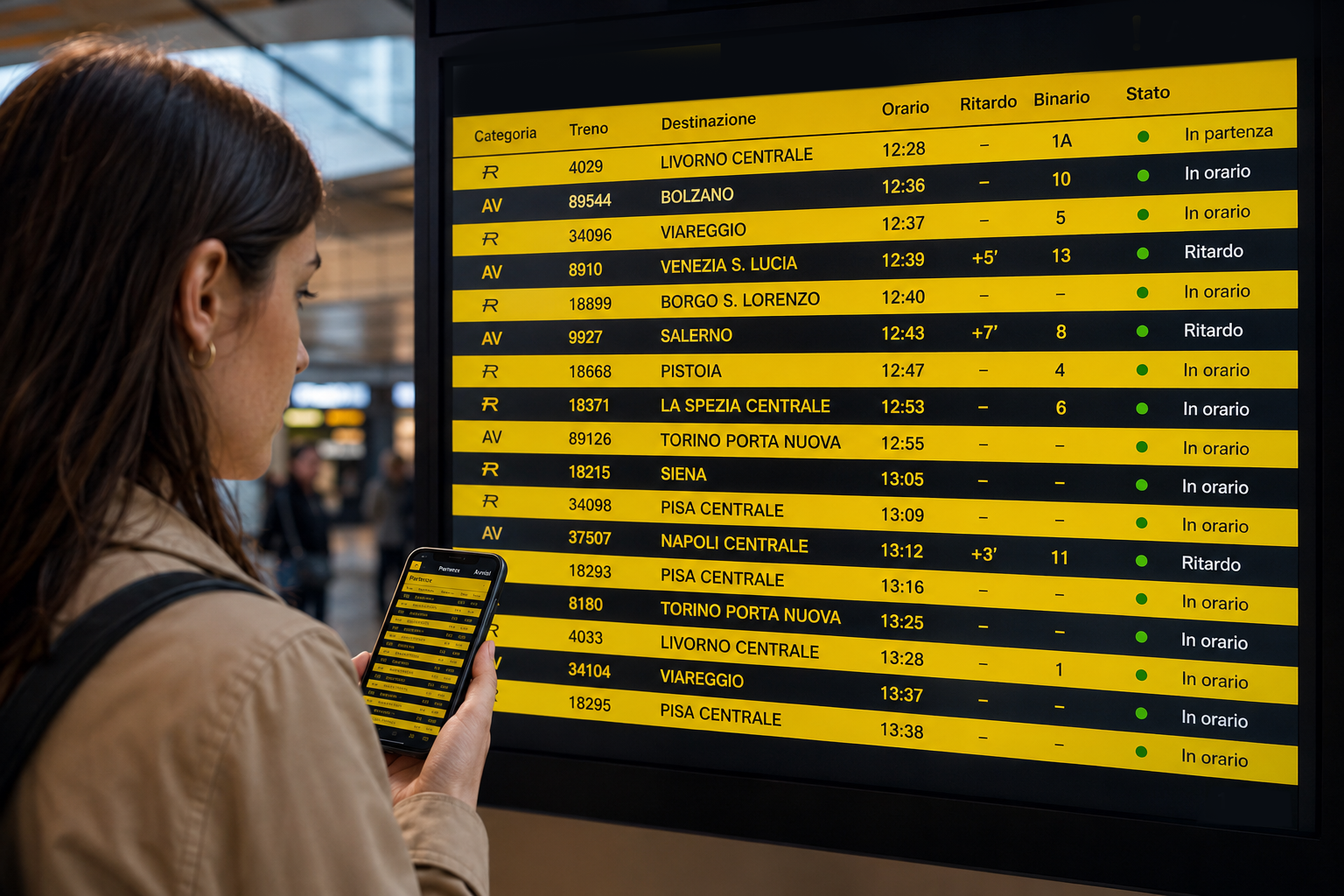
You don't always need to be in front of the large display at the station to know which platform a train will depart from. The train timetable can also be consulted via smartphone, before arriving at the station or while moving from one platform to another.
The quickest way is to open Google and type:
scoreboard + station name
For example:
- Rome Termini scoreboard
- Milan Central scoreboard
- Florence Santa Maria Novella scoreboard
- Bologna Central scoreboard
- Napoli Centrale scoreboard
More specific searches can also be used:
- departures from Rome Termini
- arrivals at Milan Central Station
- Florence Santa Maria Novella train platform
- trains departing from Bologna Centrale
- trains arriving at Naples Central Station
- RFI Venice Santa Lucia scoreboard
The results should include: RFI Live Arrivals and Departures Monitor, the official service that reproduces on your phone screen much of the information present on the station monitors.
What information does the online train board show?
The RFI monitor allows you to consult the sections separately Departures And Arrivals and generally indicates:
- train number;
- category and operator;
- destination or origin station;
- scheduled time;
- possible delay;
- expected track;
- departure or arrival state;
- subsequent stops;
- any communications about the service.
The train number is particularly important. In a large station, there may be multiple trains heading to the same city within a short time frame, so checking the destination alone may not be enough.
RFI specifies that the online monitor contains information on trains arriving and departing from its stations, but also warns that the data displayed online may be delayed by up to three minutes compared to the announcements broadcast in the station. Furthermore, the page must be refreshed by clicking the appropriate icon. The audio announcements and monitors present in the station therefore remain the final reference.
When it is useful to consult the scoreboard from your phone
When you have little time to change trains
When making a tight connection, knowing your arrival and next departure platforms in advance can help you find your way more quickly.
As the first train is entering the station, you can look for the change station board, open the section Departures and identify the second train by its number.
The platform may be announced or changed even a few minutes before departure. Therefore, it's a good idea to refresh the page once you disembark the train and continue to follow the station announcements.
When the train is late
The online scoreboard allows you to see whether the delay is increasing, decreasing, or remaining unchanged. This information can be useful in deciding:
- when to reach the platform;
- whether to wait at the station;
- whether to warn those who are waiting for us;
- whether to seek an alternative solution;
- whether a coincidence is still realistic;
- whether to consider the next train.
When you need to check a single convoy, it is best to search for it through the train number, which identifies the trip more accurately than the destination alone.
When someone comes to pick us up at the station
Whoever has to welcome a traveler must not consult the departures board, but the board of the Arrivals.
It is enough to search, for example:
Arrivals at Florence Santa Maria Novella
or open the station monitor and select the tab Arrivals.
You can check the expected time, delay, and, when available, the arrival platform. This way, family, friends, taxi drivers, chauffeurs, or hotel transfers can avoid unnecessary waits and reach the station at the most convenient time.
When you have to meet at a large station
Stations such as Rome Termini, Milan Central, Bologna Central, and Turin Porta Nuova have numerous platforms, entrances, and waiting areas.
Knowing the platform helps establish a more precise meeting point. However, it's best not to base the meeting solely on this information, as the platform can change. A fixed point, such as a ticket office, an entrance, or a business, is often safer.
When the station monitor is far away or poorly visible
In small stations, the display may only be located near the entrance, while the traveler may already be on the platform or in a different waiting area.
In these cases, the phone becomes a second monitor, especially useful when announcements cannot be heard clearly or when the physical display is temporarily out of service.
When traveling with children or a lot of luggage
Knowing which part of the station to go to helps you better organize your travels, especially when you have heavy suitcases, strollers, or small children.
In a complex station, some platforms may require the use of subways, escalators, or elevators. Checking the board in advance doesn't eliminate the need to check announcements, but it can reduce unexpected changes.
When you have reduced mobility
Consulting the platform in advance can also be useful for people with mobility difficulties, as it allows them to more easily identify elevators, ramps, and accessible routes.
However, online information should not replace the instructions of railway staff or booked assistance services: a change of platform may make it necessary to quickly change your route.
When the station is very crowded
On holidays, during strikes, during events, or during rush hour, getting close to the main monitors can be difficult. Consulting the board on your phone allows you to stay in a less congested area and check multiple departures at once.
However, it is important not to isolate yourself completely with headphones or earphones, because the announcements may communicate changes that have not yet appeared online.
When you miss a connection
After missing a connection, the departure board allows you to quickly see which other trains are leaving for the same destination.
Before boarding a different train, however, it is necessary to check whether your ticket is valid, exchangeable, or usable on that specific solution.
When you are still in the hotel, office or at home
The timetable can be consulted before leaving for the station. If the train has already accumulated a significant delay, you can better organize your transfer, while maintaining a prudent margin: a delay can indeed be reduced and the estimated time may change.
How to use the RFI Arrivals and Departures Monitor
The procedure does not necessarily require the installation of an app:
- open Google or another search engine;
- type scoreboard followed by the full name of the station;
- open the result relating to the RFI Live Arrivals and Departures Monitor;
- choose between Departures And Arrivals;
- find your train number;
- check timetable, delay, platform and communications;
- press the refresh button periodically.
To find the correct station more easily, it's best to use the full name of the train. Simply writing "Venice," "Rome," or "Milan" may not be sufficient, as there may be multiple stations in the same city.
Better then to search:
- Venice Santa Lucia;
- Rome Termini;
- Rome Tiburtina;
- Milan Central Station;
- Milan Porta Garibaldi;
- Florence Santa Maria Novella;
- Genoa Piazza Principe;
- Turin Porta Nuova.
Check the train with ViaggiaTreno
ViaggiaTreno is Trenitalia's service dedicated to traffic information.
Using your phone, you can check the train's route, arrival and departure times, scheduled stops, and information about disruptions, cancellations, or replacement services.
ViaggiaTreno is especially useful when you are interested in following a precise train along its route, while the RFI monitor is more immediate when you want to see all the departures or arrivals of a station.
Consult the Italo train timetable
For Italo connections you can use the service Italo on the Road.
The “Real-time stations” section allows you to search for a station and view departing and arriving Italo trains, with information on scheduled timetables, actual timetables, delays, and platforms, when available.
The Italo app can also send real-time notifications regarding trips associated with your booking.
To gain a broader view of all the operators present in an Italian station, the RFI monitor generally remains the most comprehensive starting point.
See departures with Google Maps
Google Maps can also show train schedules.
The procedure is simple:
- open Google Maps;
- find the station;
- touch the station card;
- check available departures;
- Open the desired link for more details.
Google specifies that some stations display real-time information, while others only display scheduled times. Colors and symbols can indicate whether a ride is on time, early, or late, but data availability varies by station and transportation company.
Google Maps is therefore very useful for planning the entire route to the station and comparing departures, but when you need immediate confirmation on platforms and traffic, it is advisable to also check the official RFI monitor or the operator's channel.
Is it possible to consult the scoreboard without downloading an app?
Yes. The easiest way is to use your phone's browser and search for:
scoreboard + station name
RFI's Live Arrivals and Departures Monitor works through a web page and does not necessarily require registration or installation.
Those who frequently use the same station can save the page as a favorite or add a shortcut to their phone's home screen. This way, the scoreboard can be opened with a single tap.
How to read the scoreboard correctly
To avoid errors, at least four elements must be checked:
Train number
This is the most accurate data for identifying the race.
Scheduled time
This is the originally scheduled time and remains the reference by which the train is normally listed.
Delay or estimated time
Indicates the deviation from the scheduled time.
Tracks
It can only appear near the start and can be changed even after the first publication.
The destination alone isn't always enough. A train can also be announced with its final destination, different from the city where the traveler is scheduled to disembark.
Can the track displayed on the phone change?
Yes. The track can be modified for traffic needs, delays, priority, breakdowns, or operational changes.
For this reason it is advisable:
- refresh the page;
- check the data again when you arrive at the station;
- observe physical monitors;
- listen to announcements;
- don't stray too far from the path towards the tracks;
- Always check the train number.
The scoreboard on your phone is a very useful tool, but it should not be considered immutable information.
What is the quickest method?
For occasional consultation, the fastest system is:
Google → “scoreboard + station name” → RFI Monitor → Departures or Arrivals
To follow a specific train you can instead use:
- the train number on ViaggiaTreno;
- the Infomobility section of the Trenitalia app;
- Italo in Viaggio for Italo trains;
- the station card on Google Maps.
A little habit that can simplify your trip
The train timetable on your phone doesn't replace the one at the station, but it anticipates it.
It allows you to understand where to go, coordinate a connection, notify those waiting for you, and react more quickly to delays or changes. It only takes a few seconds and a very simple search:
scoreboard + station name
Saving this procedure can be particularly useful when time is short and every minute counts.